Most small business owners either ignore Google Business Profile posts entirely or treat them like a social media feed. Neither works. GBP posts are a specific tool with a specific function, and understanding what that function actually is determines whether they’re worth your time.
This guide covers what GBP posts are, the four types available to Australian businesses, what they do for your local search presence, and how to use them without wasting effort on content that changes nothing.
What Are Google Business Profile Posts?
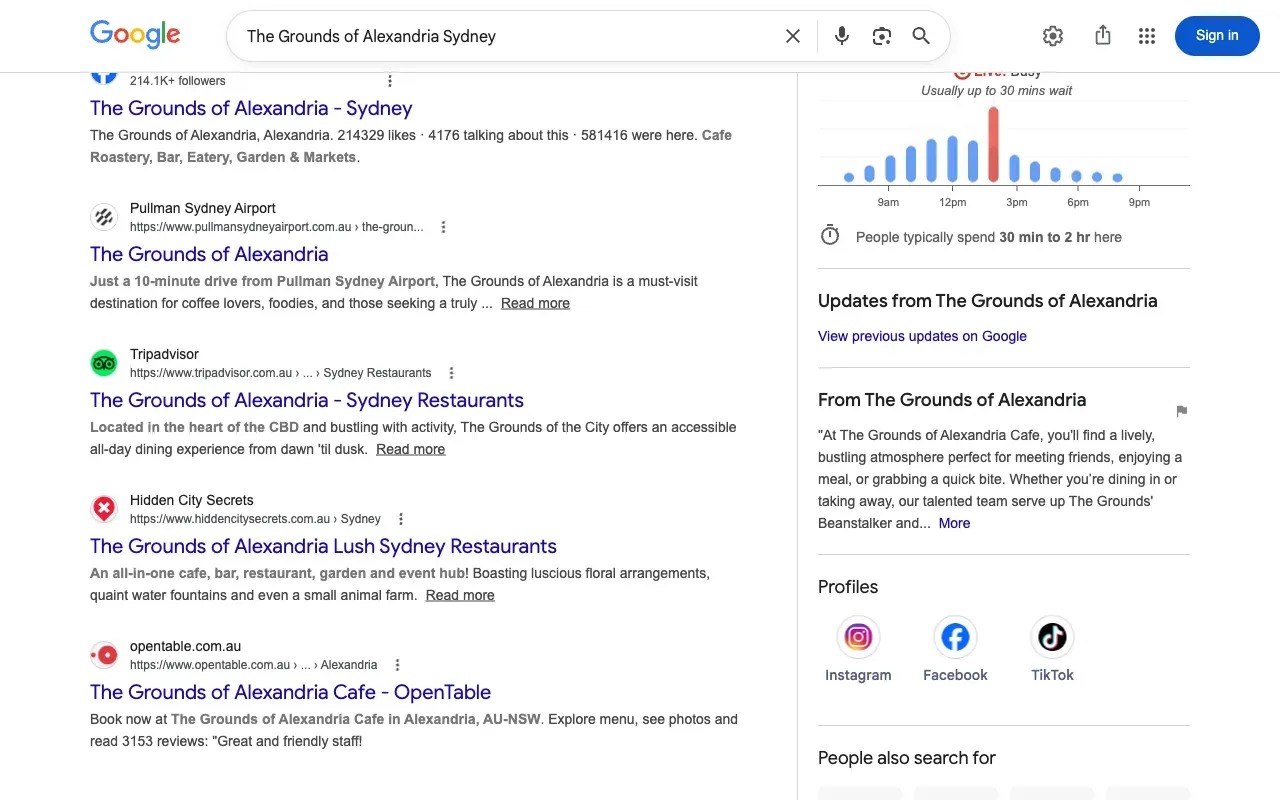
A Google Business Profile (GBP) post is a short piece of content you publish directly on your Google listing. It appears in your Knowledge Panel on Google Search and Maps when someone looks up your business by name, and occasionally in local search results for relevant queries.
Posts are not social media. They don’t have followers, shares, or an algorithm that surfaces them to an audience. Google controls when and where they display. You write them, publish them, and Google decides what to do with them.
That distinction matters because it changes how you should approach them.
What Are the Four Types of Google Business Profile Posts?
Updates
The standard post type. Use it to share news, announcements, or timely information: a new service, a change in hours, a piece of content worth surfacing. Updates display in your Knowledge Panel for 7 days before disappearing.
The 7-day limit is the most important thing to know about Updates. If someone searches for your business on day eight and you haven’t posted again, there’s no Update visible in your panel. That’s not catastrophic, but it shapes how you think about posting frequency.
Offers
An Offer post lets you promote a deal, discount, or promotion with a start and end date. Unlike Updates, Offers stay visible until the end date you set. If you’re running an EOFY discount or a seasonal promotion, an Offer post is the right format. It displays prominently in the Knowledge Panel and includes a direct redemption link.
Events
For workshops, open days, pop-ups, or any time-bound occasion with a specific date and location. Like Offers, Events stay visible until the event date passes. For businesses that run regular community events, product demonstrations, or information nights, Event posts are worth building into the schedule.
Products
Products allow you to create a simple catalogue entry: name, photo, price range, description, and a CTA button. For retail businesses or services with clear deliverables, Product posts give Google additional structured data about what you offer. These stay visible indefinitely until you remove them.
Do GBP Posts Help Your Ranking?
The honest answer: GBP posts are a minor signal, not a ranking lever.
Your position in the local map pack is determined primarily by your GBP completeness, your review volume and recency, citation consistency, and on-site local SEO signals. Posting regularly will not compensate for weaknesses in those areas.
What posts do contribute is a freshness signal. An actively maintained GBP, with recent activity, tells Google the listing is current and the business is open. That matters at the margin. But practitioners who claim posting three times a week will drive map pack rankings are overclaiming. The evidence doesn’t support it.
Where GBP posts drive measurable results is in direct action. An Offer post with a booking or call button, visible to someone who has already searched your business name, can directly convert a visitor into an enquiry. That’s the use case worth prioritising.
What Makes a GBP Post Worth Publishing?
Not all GBP posts create value. The dividing line is whether a post has the potential to drive an action.
Posts worth publishing:
- A limited-time offer with a direct call or booking link
- A seasonal promotion timed to a real occasion (EOFY, school holidays, Melbourne Cup week)
- An announcement of a new service, linking to the relevant page on your website
- An upcoming event with registration or booking details
Posts that fill a slot but do nothing:
- “We’re open this Easter” with no further content
- Generic tips that don’t connect to your specific services
- “Follow us on Instagram” redirects
- Recycled content reposted from months earlier
The test for any post: if a potential customer sees it in your Knowledge Panel at the moment they’re deciding whether to call you, does it move them closer to acting? If not, don’t publish it.
How to Create a GBP Post
- Go to business.google.com and sign in
- Select your business listing
- In the left menu, select Add update for Updates and Offers, or navigate to your chosen post type
- Choose your format: Update, Offer, Event, or Product
- Add your text (150 to 300 words is sufficient; keep it readable and direct)
- Add a photo if you have a relevant one; posts with images receive more engagement
- Add a CTA button: Book, Call, Learn more, Order online, or Get offer; match the button to the action you want
- For Offers and Events, set the start and end dates
- Click Publish
Posts are typically live within a few minutes.
How Often Should You Post on Google Business Profile?
For most Australian small businesses, one GBP post per week is sufficient. That keeps your Updates fresh within the 7-day display window without creating a content obligation that’s hard to sustain consistently.
A practical schedule:
- Weekly: one Update post, published Monday morning
- Seasonal: an Offer post running for the duration of each major promotion: EOFY, Christmas trading, school holiday periods
- Ad hoc: Event posts whenever you have a bookable or attendable occasion
Posting daily delivers diminishing returns. Posting less than once every two weeks means your Knowledge Panel routinely shows no recent activity, which is a missed opportunity for anyone viewing your listing.
Which Australian Occasions Are Worth Scheduling GBP Posts Around?
A few calendar moments worth building into your posting schedule, depending on your industry:
- End of Financial Year (30 June): Trades, accountants, consultants, and any business where clients make purchasing decisions before the tax year closes
- School term dates: Tutoring centres, childcare, sport coaching, and children’s services, where term start and end dates drive decision-making
- Summer and winter school holidays: Hospitality, tourism, and seasonal services
- Melbourne Cup week: Hospitality and food businesses
- Australia Day and Easter: Retail and hospitality promotions
The point is to post when your audience is actively making decisions, not arbitrarily filling a calendar.
Common Mistakes
Treating GBP posts like social media. They’re not. Don’t cross-post your Instagram captions. Write posts that speak to someone who has already found your business on Google and is deciding whether to call.
Publishing posts with no CTA button. Text alone is incomplete. Every post should direct the reader somewhere actionable: a booking page, a phone number, a relevant service page.
Defaulting to Updates for promotional content. For offers and promotions, an Offer post is more prominent and stays visible longer than a standard Update. Most businesses default to Updates because they’re the simplest format. Use the format that matches the content.
Leaving stale posts visible. If you publish an Event post for an event that has passed or an Offer for a promotion that has ended, remove it. Outdated content in your panel works against you.
Common Questions
Where do GBP posts appear?
Primarily in your Knowledge Panel on Google Search when someone searches your business name directly. They can also appear in the local search results feed for some queries and in Google Maps when users view your listing directly.
What should I post on my Google Business Profile?
Offers, events, and new service announcements are the most effective formats. Publish content that gives a potential customer a reason to act: a promotion, a new offering, or a direct booking link.
Do GBP posts directly improve my map pack ranking?
Not significantly. Posts contribute a minor freshness signal to your overall GBP activity but are not a primary ranking factor. Focus on GBP completeness, reviews, and citation consistency first. Posts are a conversion tool more than a ranking tool. For managing the review side of that, how to respond to Google reviews covers both positive and negative responses in detail.
How long do GBP posts stay visible?
Update posts disappear from the Knowledge Panel after 7 days. Offer and Event posts remain visible until their end dates. Product posts stay visible indefinitely until you remove them.
GBP posts are worth doing, but they’re not the part of local SEO that moves rankings. If your GBP optimisation, review volume, and citation profile are already solid, regular posting adds a useful next layer. If those foundations are not yet in place, resolving who should be managing that work typically comes before optimising the posting cadence.
If you want a local SEO consultant to review your GBP setup and tell you specifically what’s worth fixing before you start posting, book a call and I’ll give you a clear assessment of where your time is best spent.
Jay Ong is a Local SEO Consultant based in Sydney, helping Australian small businesses rank higher on Google Maps and attract more local customers.